 Nubo Suite
A Zoom alternative that sits next to your mail and calendar
Nubo Meet gives your team video meetings with a waiting room that is on by default and a meeting link that never expires. It is part of the same suite as your mail, calendar and team chat, and it is included in Nubo Hub.

Nubo Meet
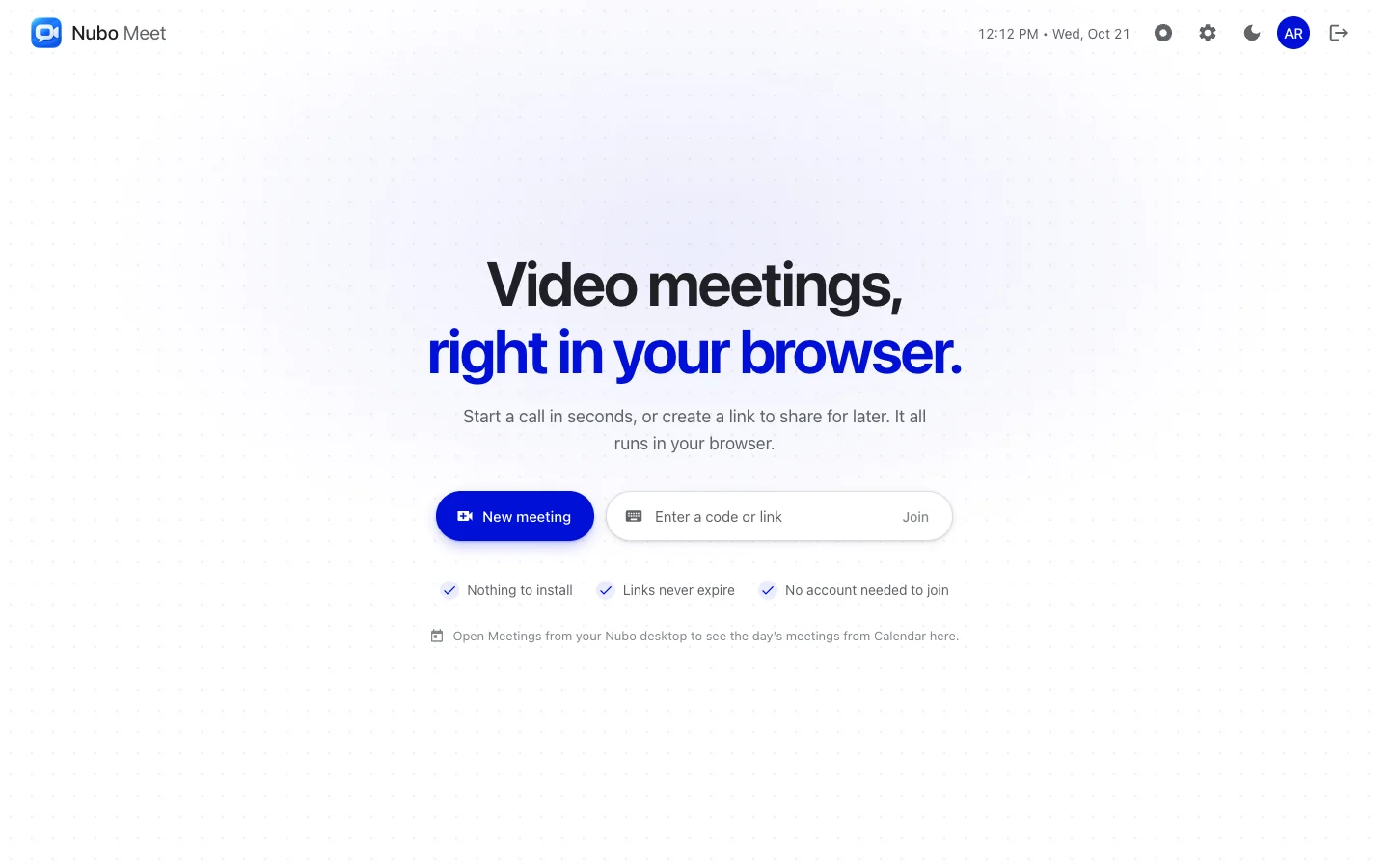
Video meetings for teams and their guests. Start a call in one click or keep a meeting link that never expires. People with a Nubo account join straight in, and guests wait in a lobby until the meeting starts.
- Permanent links. Codes like abc-defg-hij that never expire.
- Waiting room. Admit or deny people as they arrive. On by default.
- Cleaner calls. Background blur and on-device noise suppression.
- Open recording. A REC badge tells everyone who is recording.
Meet: all features
- Nobody owns the link, so nobody is stuck.. Whoever arrives first on a link starts the meeting as host. If the host leaves, the remaining people choose a new one and the call carries on.
- Everything you need on one screen.. Share a screen that pins itself as the main tile, chat during the call, raise a hand, send floating emoji reactions and float the meeting over other windows.
- Tidy background, quieter room.. Blur your room or replace it with a bundled scene or your own image. Noise suppression runs on your device, and the green room lets you check your camera first.
Questions
- Can guests join without an account?
- Yes. They wait in a green-room lobby and are let in when the meeting starts, or admitted by the host.
- Is recording ever hidden?
- No. While anyone records, every participant sees a REC badge and a banner naming who.
- How many people fit in one meeting?
- The size depends on your plan, from the Free plan up to Nubo Hub Professional and Nubo One, and the limits are listed on the Nubo Hub page. Everyone connects directly to everyone else, so quality drops as a group grows and it suits small and medium groups.
Other jobs Nubo covers
- Slack alternative
- Notion alternative
- Trello alternative
- Google Docs alternative
- Google Sheets alternative
- Airtable alternative
- QuickBooks alternative
- DocuSign alternative
- Miro alternative
- Postman alternative
- GitHub alternative
- Adobe Acrobat alternative
- Adobe Photoshop alternative
- Adobe Illustrator alternative
- AutoCAD alternative
- Onshape alternative
- Zoho Workplace alternative
- Zoho One alternative
- Zoho CRM alternative
- Zoho Desk alternative
- Zoho Books alternative
- Zoho Projects alternative
- Zoho Sign alternative
- All Nubo alternatives
- Compare Nubo with Microsoft 365, Zoho, Adobe and AutoCAD
- Switching guides
Zoom is a trademark of its owner. Nubo is not affiliated with, endorsed by or sponsored by the owner of the Zoom brand. This page describes Nubo only; reviewed 8 November 2026.