 Nubo Suite
A DocuSign alternative for signing documents online
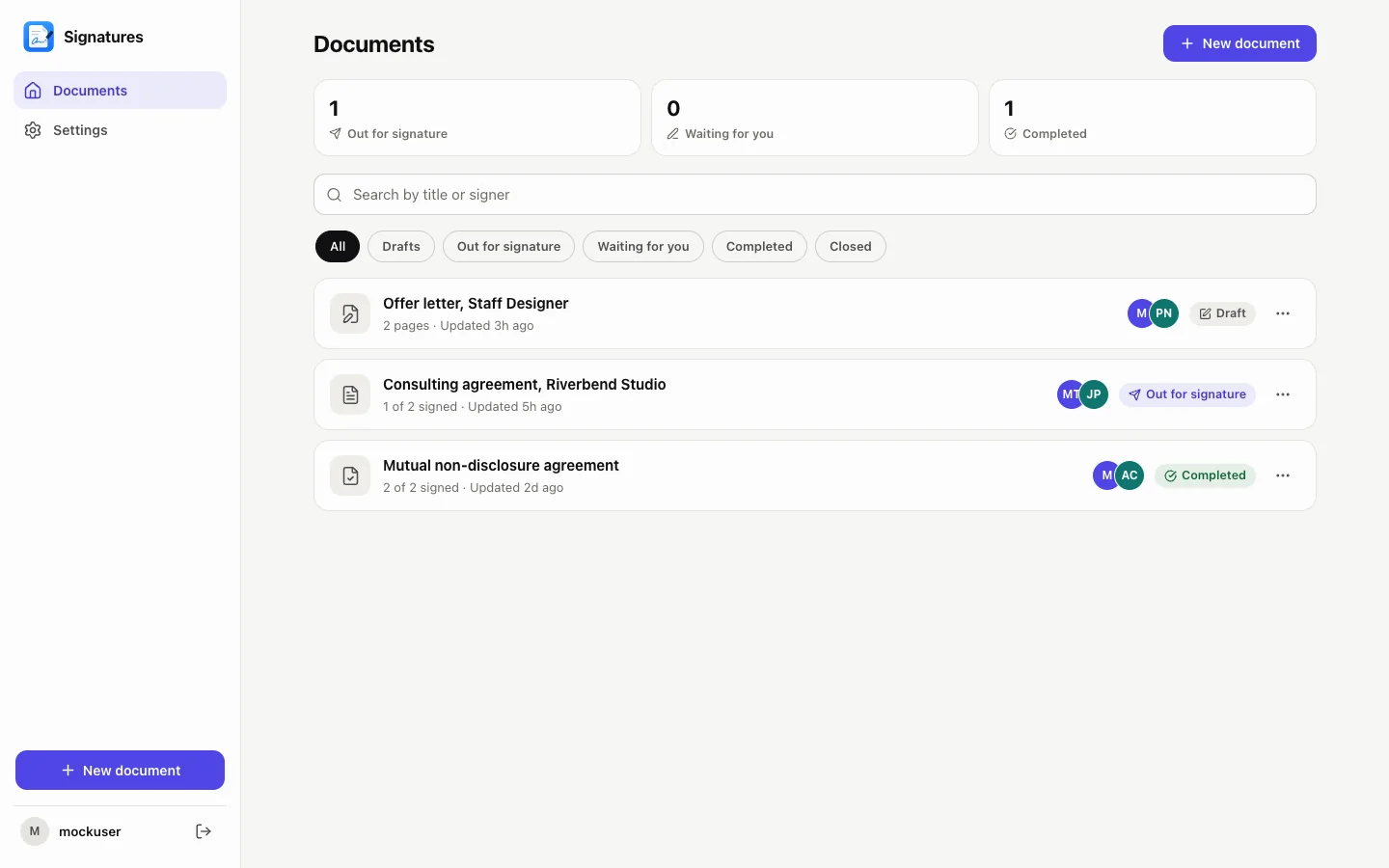
Nubo Sign is electronic signatures for small businesses. Upload a PDF, place the fields, name the signers and send. Signers use a focused page with no account or install, and you track every step.
Nubo Sign
Electronic signatures for small businesses. Upload a PDF, place the fields, name the signers and send. Signers use a focused page with no account or install, and you track every step of the way.
- No account needed. Signers draw, type or upload a signature from a link.
- Fields. Signature, initials, date, text and checkbox fields.
- Live status. See who is pending, has viewed, signed or declined.
- Templates. Save a layout with roles like Client and Contractor.
Sign: all features
- Build the document and place fields fast.. Merge several PDFs and images into one document, then tap or drag to place fields. Copy initials onto every page of a long agreement in one action.
- Each signer gets their own link.. Send links by email or copy them by hand, and add an access code you share separately. Set a deadline, and automatic reminders go out until it passes.
- A completed PDF with proof attached.. When everyone has signed, the final PDF has every signature flattened in and a certificate page appended. Each signature keeps its consent record and activity trail.
Questions
- Do signers need to install anything?
- No. They agree to an electronic-signature disclosure and sign in the browser.
- What record is kept of each signature?
- Consent and disclosure version, IP address and browser details, plus a full activity trail.
- Is an electronic signature legally binding where I am?
- That depends on your country and on the kind of document, and some documents need other formalities. Nubo Sign keeps the consent, IP address and an activity trail for each signature. Ask a lawyer about documents with special rules.
Other jobs Nubo covers
- Zoom alternative
- Slack alternative
- Notion alternative
- Trello alternative
- Google Docs alternative
- Google Sheets alternative
- Airtable alternative
- QuickBooks alternative
- Miro alternative
- Postman alternative
- GitHub alternative
- Adobe Acrobat alternative
- Adobe Photoshop alternative
- Adobe Illustrator alternative
- AutoCAD alternative
- Onshape alternative
- Zoho Workplace alternative
- Zoho One alternative
- Zoho CRM alternative
- Zoho Desk alternative
- Zoho Books alternative
- Zoho Projects alternative
- Zoho Sign alternative
- All Nubo alternatives
- Compare Nubo with Microsoft 365, Zoho, Adobe and AutoCAD
- Switching guides
DocuSign is a trademark of its owner. Nubo is not affiliated with, endorsed by or sponsored by the owner of the DocuSign brand. This page describes Nubo only; reviewed 8 November 2026.