 Nubo Suite
A Notion alternative for your team wiki and notes
Nubo Wiki is a team wiki written from blocks, with pages nested in a tree, databases for tracking work, and shared pages people can edit together as they type. Nubo Notes is the notebook for personal and team notes.

Nubo Wiki
A team wiki for company knowledge. Write pages from blocks, nest them in a tree, track work in databases, and share a page so people can edit it together as they type.
- Block editor. Headings, lists, to-dos, callouts, code, tables and images.
- Databases. Table, board, list, gallery and calendar views.
- Live editing. Changes merge as people type.
- Roles. Invite people as editors, commenters or viewers.
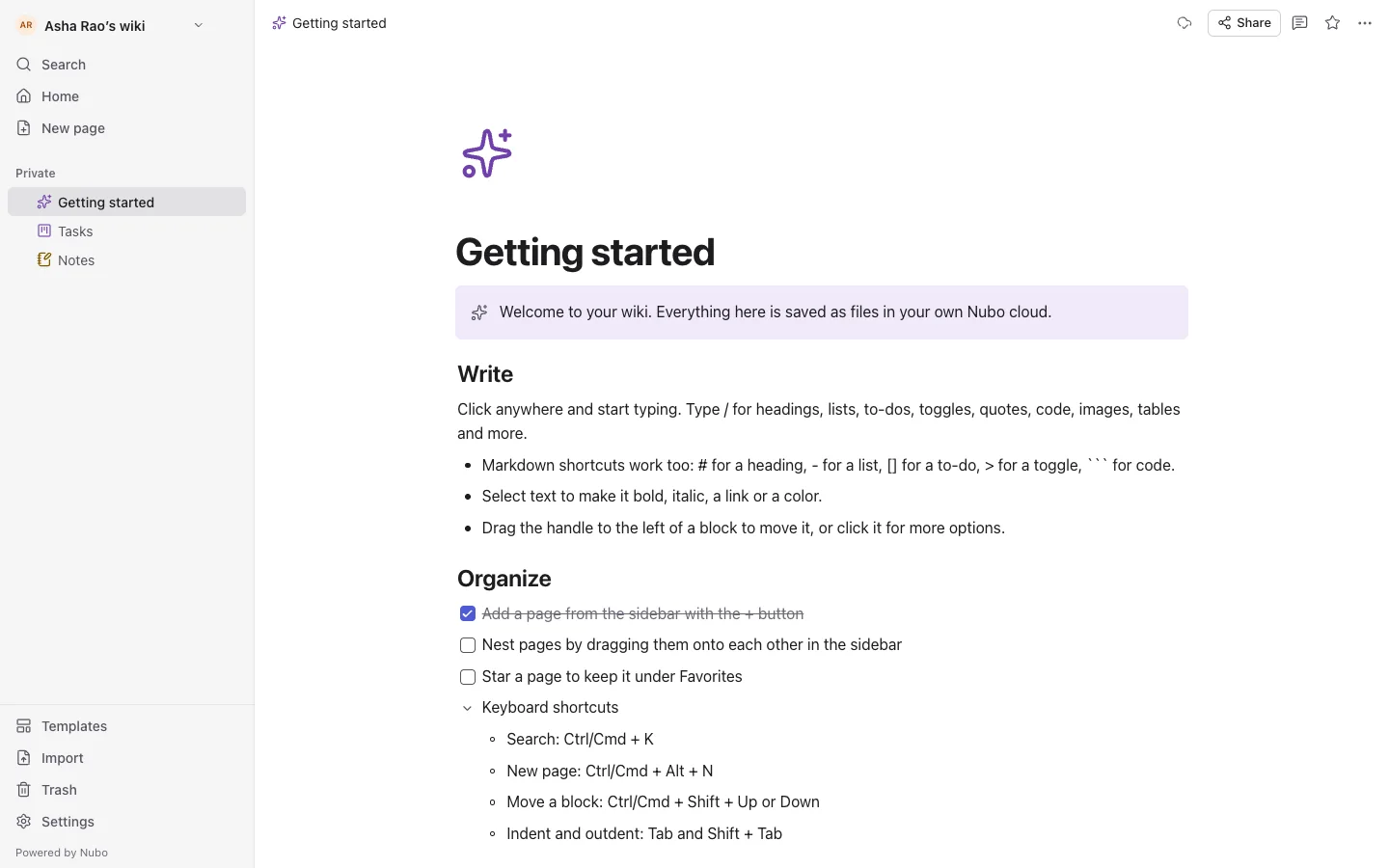
Wiki: all features
- Type a slash, get a block.. Type / for the block menu and @ to link another page. Markdown shortcuts work as you write, and you can drag the handle to reorder or nest blocks.
- Pages that behave like rows.. Add properties such as status, date, number, select and checkbox, then view the same rows as a table, a board grouped by property, a gallery or a calendar.
- Share a page and everything under it.. Invite people by link with a role, see avatars of who is on the page, and discuss with comments on a page or a single block that can be resolved.

Nubo Notes
A notebook app for personal and team notes. Organize notebooks into sections and pages, then click anywhere on a page to start writing: type, draw, record or drop in a PDF.
- Free-form pages. Place note containers wherever you like.
- Ink. Pens, highlighters and shape recognition.
- Tags. To-dos, questions, definitions and 20+ more.
- Search. Across all notebooks, one notebook or a section.
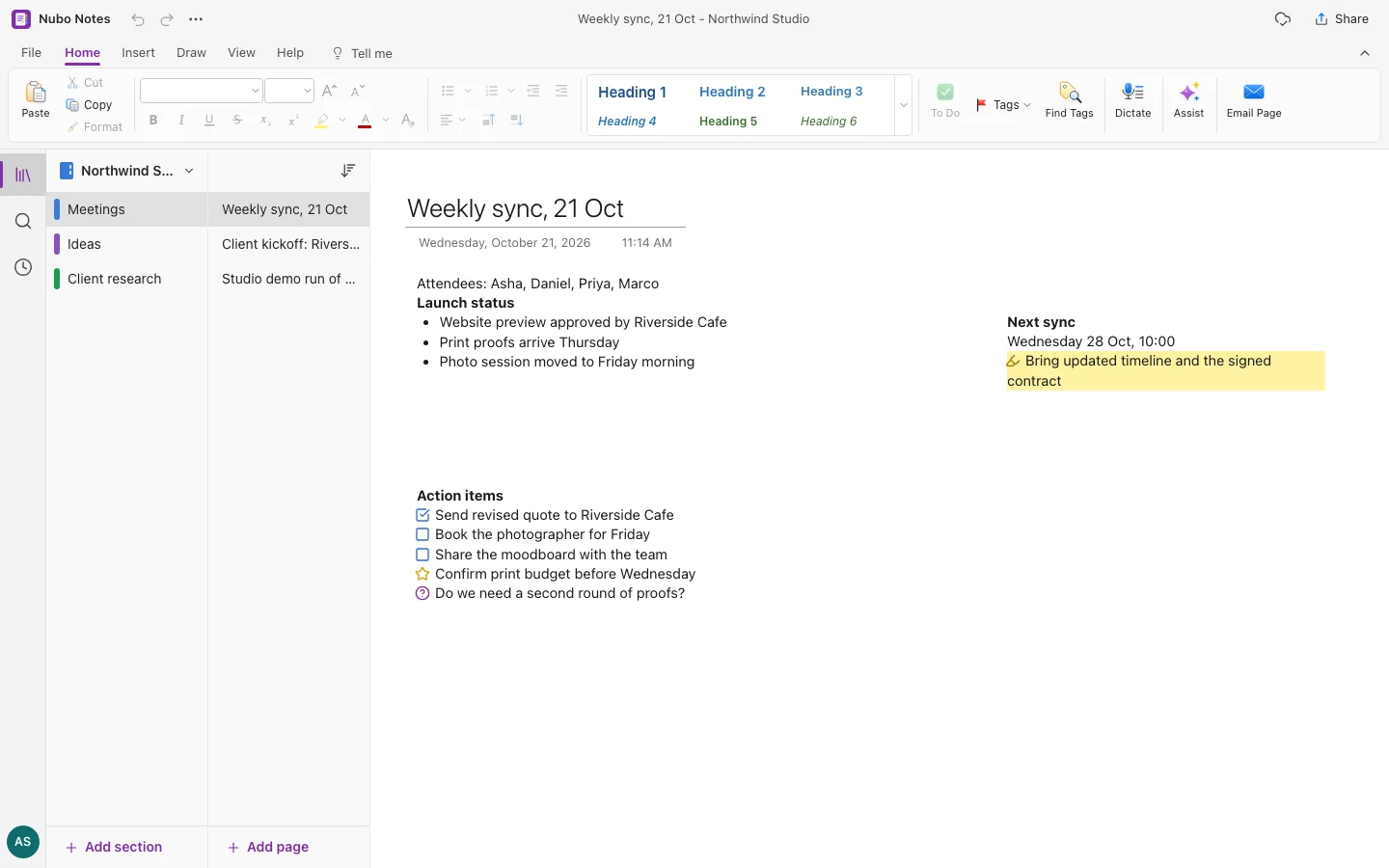
Notes: all features
- Notebooks, sections, pages.. Colored section tabs, nested section groups and pages with subpages. Drag pages to reorder or move them, and copy links to any page or section.
- Write, draw, record.. Type with rich formatting, draw with pressure-sensitive pens, insert pictures, tables, equations in LaTeX, audio and video recordings, or PDF pages as pictures.
- Tags that gather your to-dos.. Tag a line as a to-do or important item with a shortcut. The tag summary lists every tagged note, lets you check off to-dos and builds a summary page.
Questions
- Can I bring in existing notes?
- Yes. Import Markdown files, one per page.
- Can people outside my team read a page?
- You can open a space to anyone signed in who has the link.
- How is it different from Notes?
- Wiki is for shared pages and databases. Notes is a personal notebook for free-form writing, ink and recordings.
Other jobs Nubo covers
- Zoom alternative
- Slack alternative
- Trello alternative
- Google Docs alternative
- Google Sheets alternative
- Airtable alternative
- QuickBooks alternative
- DocuSign alternative
- Miro alternative
- Postman alternative
- GitHub alternative
- Adobe Acrobat alternative
- Adobe Photoshop alternative
- Adobe Illustrator alternative
- AutoCAD alternative
- Onshape alternative
- Zoho Workplace alternative
- Zoho One alternative
- Zoho CRM alternative
- Zoho Desk alternative
- Zoho Books alternative
- Zoho Projects alternative
- Zoho Sign alternative
- All Nubo alternatives
- Compare Nubo with Microsoft 365, Zoho, Adobe and AutoCAD
- Switching guides
Notion is a trademark of its owner. Nubo is not affiliated with, endorsed by or sponsored by the owner of the Notion brand. This page describes Nubo only; reviewed 8 November 2026.