 Nubo Suite
A Trello alternative with boards, a list and a timeline
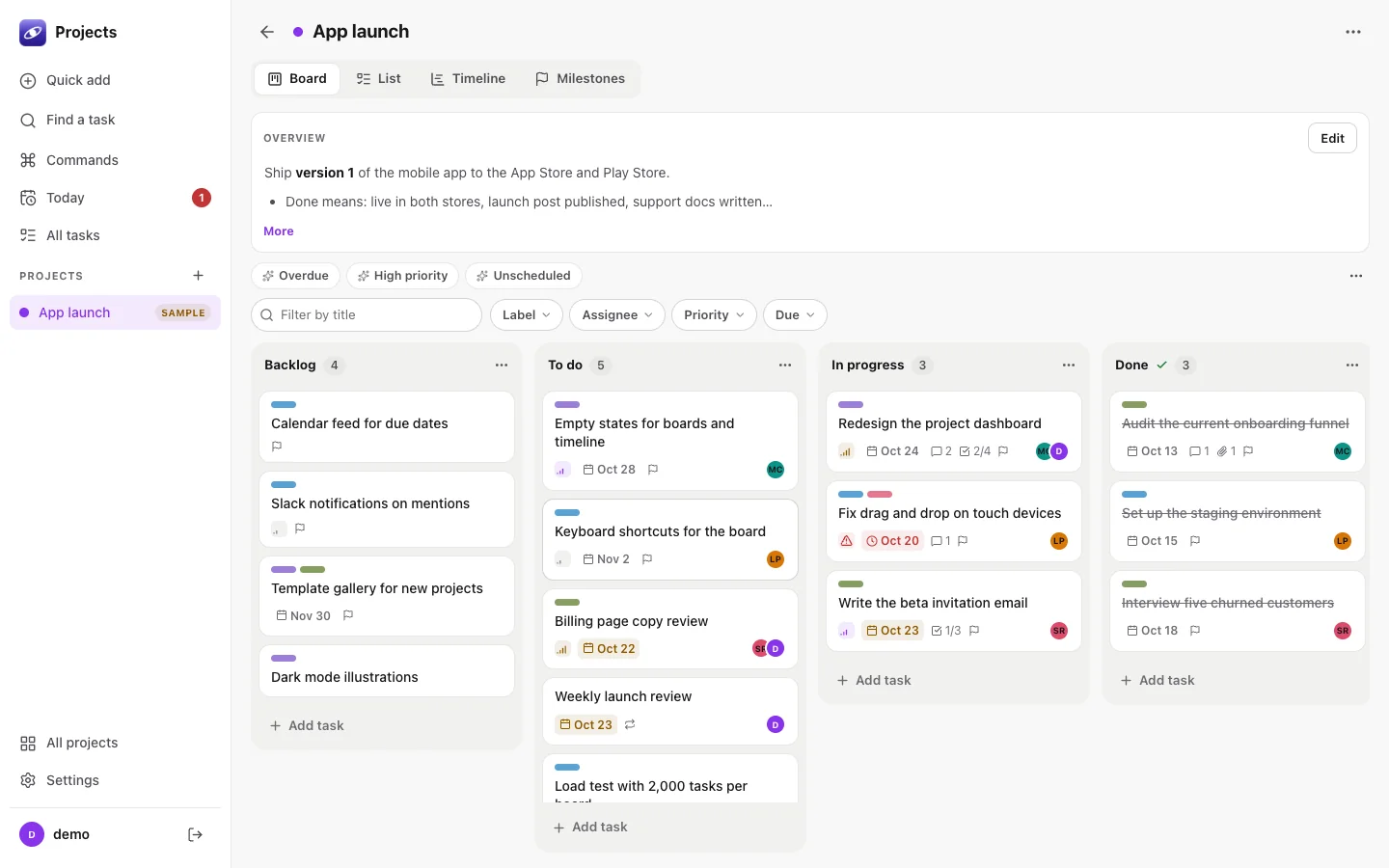
Nubo Projects shows the same tasks as boards, a list and a timeline, so each person works the way they prefer. Assign work, attach files, set reminders and keep going offline once the app is installed.

Nubo Projects
Project management for small teams. See the same tasks as boards, a list and a timeline, assign work, attach files, set reminders and keep going offline once the app is installed.
- Board, list, timeline. Three views of the same tasks.
- Quick add. Type a task with a priority, label and date and the fields fill in.
- Import from Trello. Bring lists, cards, labels and checklists across.
- Works offline. Install it and the app starts without a connection.
Projects: all features
- See every task and where it stands.. Drag cards between columns, set optional WIP limits, add labels, priorities and due dates. Type a task the way you say it and the date, priority, label and assignee are picked out for you.
- Tasks carry the whole conversation.. Each task has a description, checklists, threaded comments, multiple assignees and file attachments, uploaded or linked from your Nubo files so there is one copy.
- Plan with timelines and milestones.. A Gantt-style timeline with milestone markers and a today line. Drag a bar to reschedule it, or drag its edges to change start and due dates.

Nubo Tasks
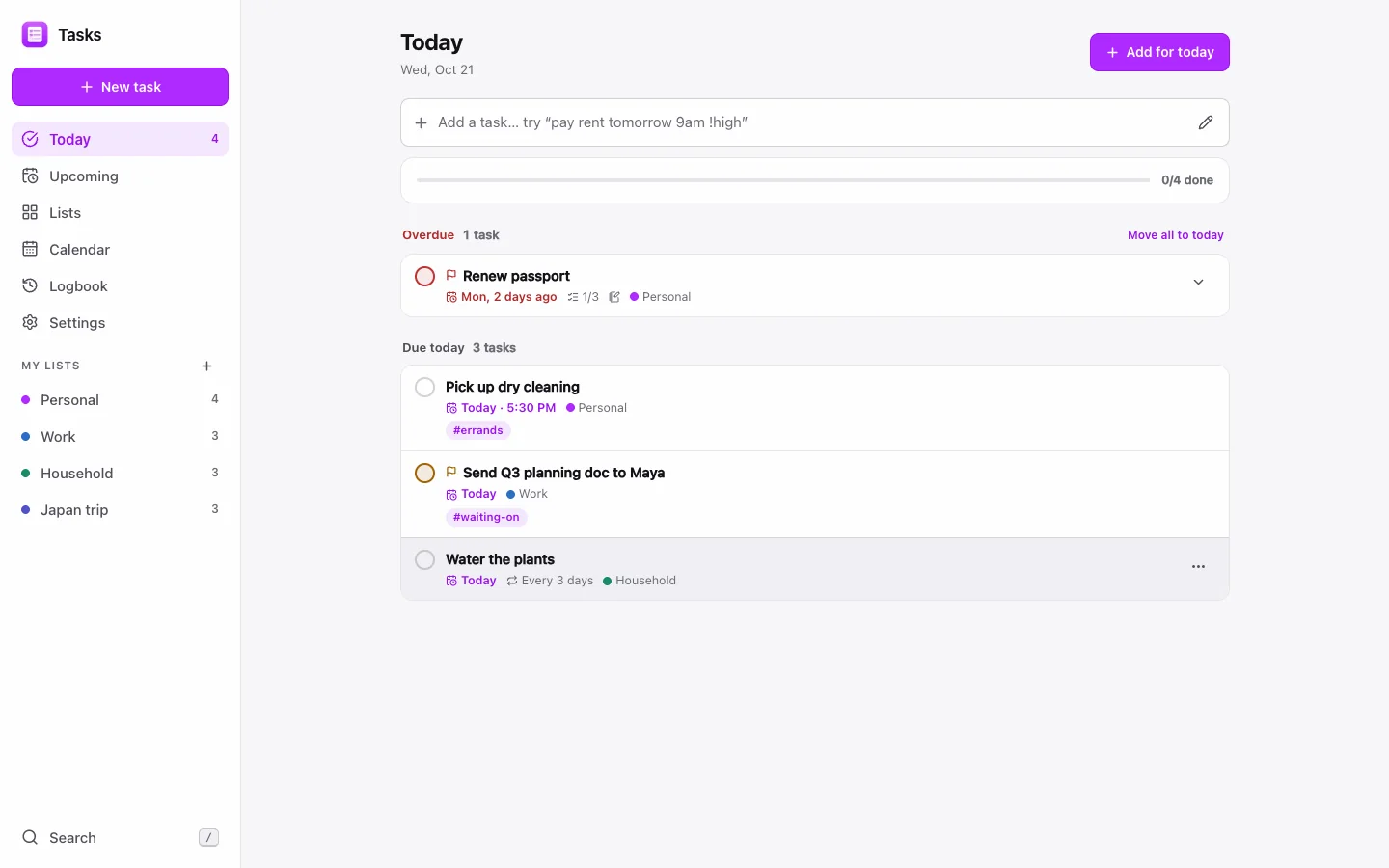
A to-do list for individuals and teams. Write a task like pay rent friday 9am every month and the date, repeat and priority are picked out for you. Lists can be private or shared with colleagues.
- Quick add. Dates, priority, tags and lists parsed as you type.
- Today and Upcoming. Plus Lists, Calendar and a Logbook of finished work.
- Recurring. Every N days, weeks, months or years, or chosen weekdays.
- Shared lists. A read-only link, or collaborate with invited people.
Tasks: all features
- Chips show what it understood.. Quick add shows removable chips for the date, priority, tag and list it found. Dismiss one and the text returns to the title, so nothing is dropped.
- Reschedule in a tap.. Move a task to today, tomorrow, the weekend or next week, with Undo. Move every overdue task to today at once, or swipe on touch.
- Lists others can use.. Publish a live read-only link anyone can open without an account, or invite people who can add, edit and complete tasks with you.
Questions
- Can I invite people outside my team?
- Projects are shared with colleagues on your Nubo team, who can then open and edit them.
- Where is my data stored?
- In your own Nubo account. Each project is a document you can export or back up.
- Can I import from Trello?
- Yes. Import a Trello board export to bring across lists, cards, labels and checklists. Attachments stay linked to Trello.
Other jobs Nubo covers
- Zoom alternative
- Slack alternative
- Notion alternative
- Google Docs alternative
- Google Sheets alternative
- Airtable alternative
- QuickBooks alternative
- DocuSign alternative
- Miro alternative
- Postman alternative
- GitHub alternative
- Adobe Acrobat alternative
- Adobe Photoshop alternative
- Adobe Illustrator alternative
- AutoCAD alternative
- Onshape alternative
- Zoho Workplace alternative
- Zoho One alternative
- Zoho CRM alternative
- Zoho Desk alternative
- Zoho Books alternative
- Zoho Projects alternative
- Zoho Sign alternative
- All Nubo alternatives
- Compare Nubo with Microsoft 365, Zoho, Adobe and AutoCAD
- Switching guides
Trello is a trademark of its owner. Nubo is not affiliated with, endorsed by or sponsored by the owner of the Trello brand. This page describes Nubo only; reviewed 8 November 2026.