Looking for an Adobe Photoshop alternative?
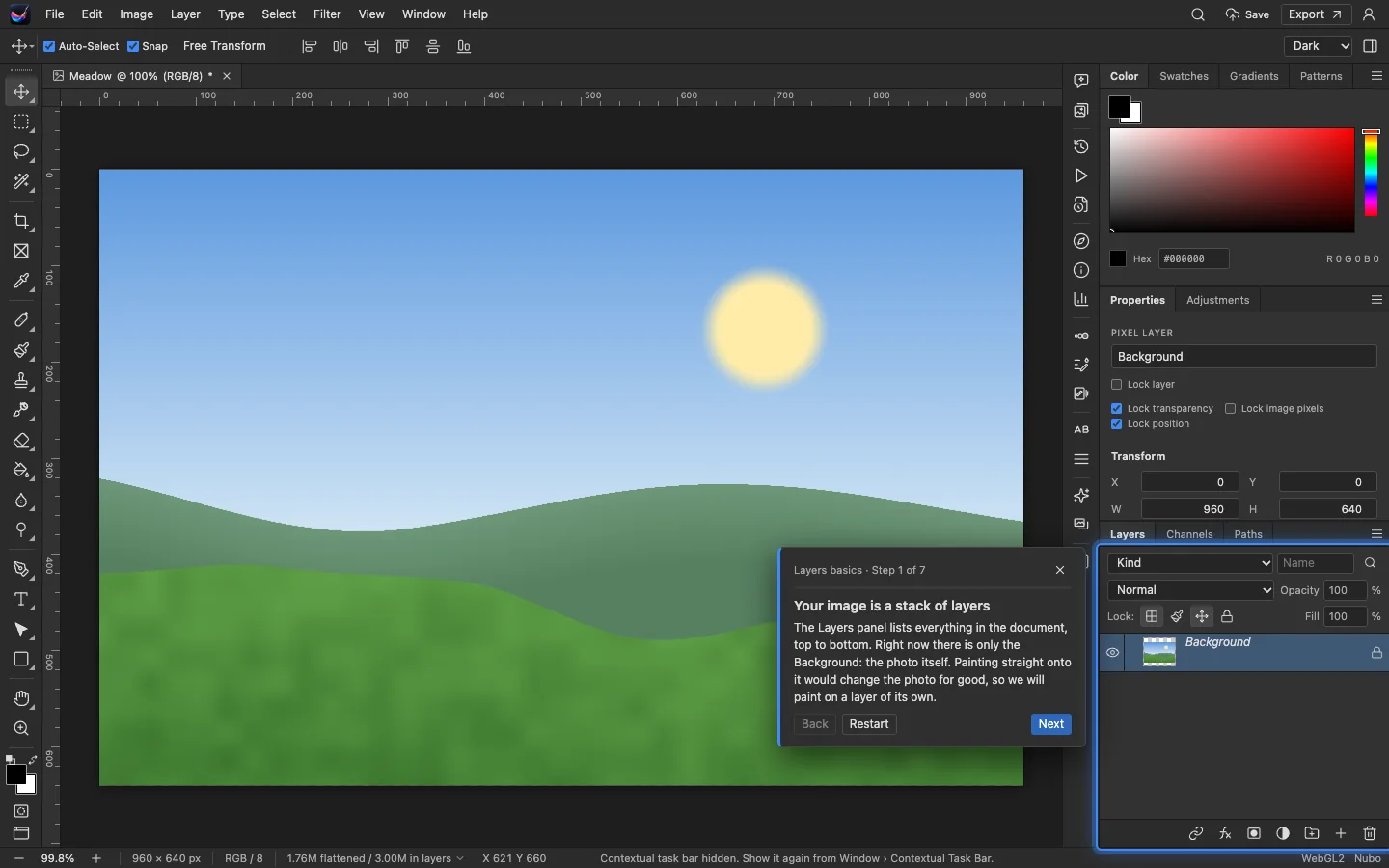
Nubo Photos is a layer-based image editor in the browser, with masks, selections, retouching, about 70 filters and type, and it opens and saves PSD files. It suits quick edits and light design work, not full-time professional retouching. Below are Photoshop’s list prices as read on 15 November 2026, what Nubo costs in your currency, and when Photoshop is the better choice.
Nubo Photos does not generate pictures. Its assistant lays out edits using the editor’s own commands.
Adobe Photoshop and Nubo prices
Adobe Photoshop list prices
| Plan | Price | What it is for |
|---|---|---|
| Photoshop | US$22.99 | per month, annual plan billed monthly |
Prices read on 15 November 2026; the sources are listed at the foot of this page. US figures as listed by the vendor; the India figure includes GST. Zoho lists prices in many currencies; the US dollar list is shown here. Adobe Photoshop plans and prices change; check the vendor’s page before you decide.
 Nubo prices in AUD
| Plan | Price | What it is for |
|---|---|---|
| Nubo Photos Pro | A$7 | per user per month, billed annually, A$9 billed monthly |
Nubo prices exclude tax. Taxes are added at checkout where they apply. Also included in Nubo One. See all Nubo prices.

Nubo Photos
A layer-based image editor in the browser for designers, photographers and marketers. Retouch a portrait, build a banner or composite a scene without installing anything, and open and save PSD files.
- Layers and masks. Pixel, text, shape, adjustment and embedded layers.
- Retouching. Heal blemishes, patch, fix red-eye and remove objects.
- About 70 filters. Blurs, distortion, noise, rendering and more.
- PSD files. Open and exchange layered PSD documents.
Photos: all features
- Build images from layers you can change later.. Adjustment layers, masks, blend modes and nested embedded objects keep edits reversible. Artboards and frames help lay out several sizes in one document.
- Select, paint and fix.. Pick a subject or sky automatically, or draw selections by hand. Then clone, heal, patch or paint with brushes that load and mix color.
- Describe the edit instead of hunting for it.. Ask the Assistant for a change in plain words. It lays out steps using the editor's own commands, you review or edit them, then run them together as one undo step.
How to move from Adobe Photoshop
Open your PSD files in Nubo Photos and check complex files for effects that do not carry over. Save to your Nubo storage when you are done. Moving files to Nubo.
Nubo has no one-click migration tool and no mailbox import. See the switching guides for what moves and what does not.
Questions
- What is Nubo Photos?
- A layer-based image editor in the browser, with masks, selections, retouching tools, about 70 filters, type and an optional assistant.
- Is Nubo Photos free?
- No. Photos is sold per user as a paid tier and is included in Nubo One. The price table above shows the current price in your currency.
- Does Nubo Photos open PSD files?
- Yes. PSD interchange is part of the editor. It uses WebGPU where your browser supports it and falls back to WebGL2 otherwise.
- How do I move my work from Adobe Photoshop to Nubo Photos?
- Open your PSD files in Nubo Photos and check complex files for effects that do not carry over. Keep the originals until you are sure.
Other jobs Nubo covers
- Zoom alternative
- Slack alternative
- Notion alternative
- Trello alternative
- Google Docs alternative
- Google Sheets alternative
- Airtable alternative
- QuickBooks alternative
- DocuSign alternative
- Miro alternative
- Postman alternative
- GitHub alternative
- Adobe Acrobat alternative
- Adobe Illustrator alternative
- AutoCAD alternative
- Onshape alternative
- Zoho Workplace alternative
- Zoho One alternative
- Zoho CRM alternative
- Zoho Desk alternative
- Zoho Books alternative
- Zoho Projects alternative
- Zoho Sign alternative
- All Nubo alternatives
- Compare Nubo with Microsoft 365, Zoho, Adobe and AutoCAD
- Switching guides
Adobe, Acrobat, Creative Cloud, Photoshop and Illustrator are trademarks or registered trademarks of Adobe Inc. Nubo is not affiliated with, endorsed by or sponsored by the owner of the Adobe Photoshop brand. The competitor prices above were read on 15 November 2026; page reviewed on 16 November 2026.
Sources
- Adobe Creative Cloud plans and pricing, read on 15 November 2026
- Adobe Creative Cloud plans (India page), read on 15 November 2026