 Nubo Suite
A Slack alternative that comes with the rest of your suite
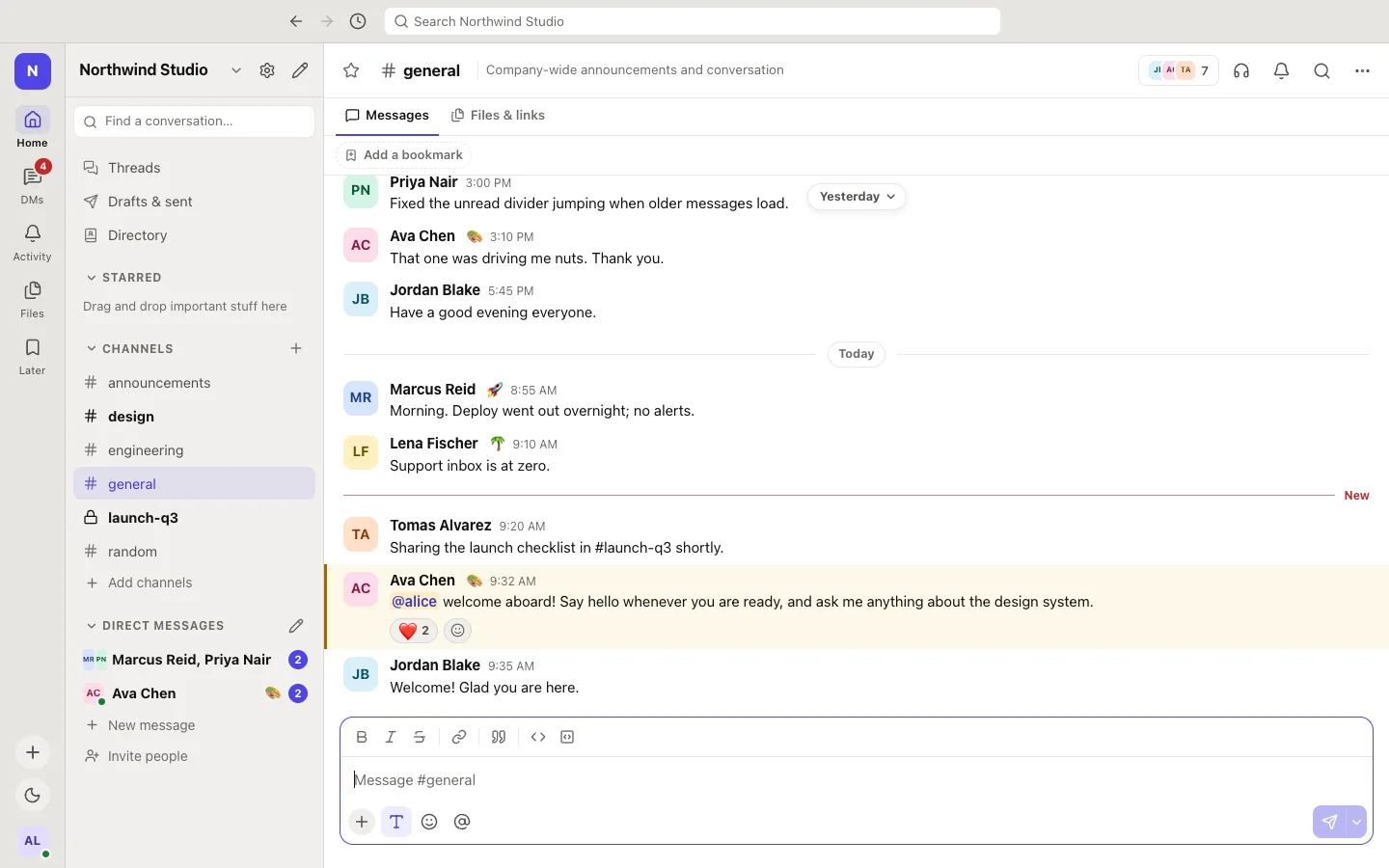
Nubo Teams is team chat with channels for topics, direct messages for people, threads to keep a discussion tidy, and huddles when talking is quicker than typing. It is included in Nubo Hub and Nubo One.

Nubo Teams
Team chat for companies and small teams. Use channels for topics, direct messages for people and threads to keep each discussion tidy, and start a huddle when talking is quicker than typing.
- Channels. Public or private, with topics, pins and bookmarks.
- Threads. Reply to any message without crowding the channel.
- Huddles. A live call inside any channel or direct message.
- Guests. Invite a client into one channel and nothing else.
Teams: all features
- Give every topic its own room.. Browse and join public channels, keep private ones for invited members, or limit a channel to admin posts for announcements. New members land in the default channels.
- Say more than plain text.. Format with bold, italics, quotes and code blocks with syntax highlighting. Mention people, react with emoji, edit in place and copy a link to any message.
- Send it when it will be read.. Schedule a message for tonight or Monday at 9, or ask to be reminded about one later. Scheduled messages wait in a Later view where you can edit or send them now.
Questions
- How do I invite people?
- Share a link or code that expires after 1, 7 or 30 days, or invite by email from the Invite dialog.
- Can clients join without seeing everything?
- Yes. A guest invite adds one person to a single channel. Guests cannot browse, create channels or message strangers.
- Does it work offline?
- You can install it as an app, and messages you write while disconnected wait in an outbox until you are back online.
Other jobs Nubo covers
- Zoom alternative
- Notion alternative
- Trello alternative
- Google Docs alternative
- Google Sheets alternative
- Airtable alternative
- QuickBooks alternative
- DocuSign alternative
- Miro alternative
- Postman alternative
- GitHub alternative
- Adobe Acrobat alternative
- Adobe Photoshop alternative
- Adobe Illustrator alternative
- AutoCAD alternative
- Onshape alternative
- Zoho Workplace alternative
- Zoho One alternative
- Zoho CRM alternative
- Zoho Desk alternative
- Zoho Books alternative
- Zoho Projects alternative
- Zoho Sign alternative
- All Nubo alternatives
- Compare Nubo with Microsoft 365, Zoho, Adobe and AutoCAD
- Switching guides
Slack is a trademark of its owner. Nubo is not affiliated with, endorsed by or sponsored by the owner of the Slack brand. This page describes Nubo only; reviewed 8 November 2026.