 Nubo Suite
A QuickBooks alternative for bookkeeping and invoicing
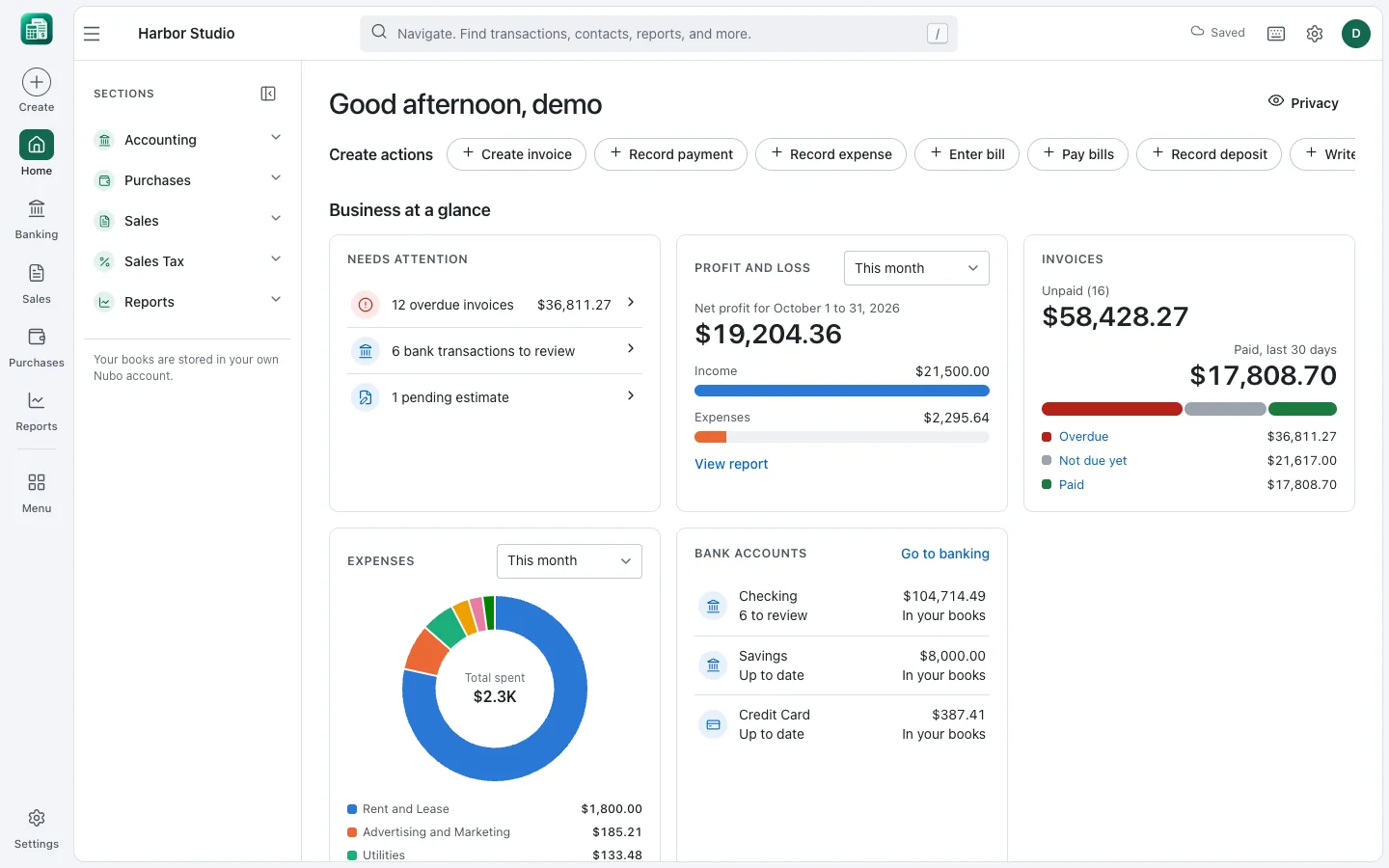
Nubo Accounting is double-entry bookkeeping for small businesses and their accountants: enter invoices and bills, categorise bank lines, reconcile statements and run the standard reports. Nubo Invoices bills your clients and tracks what is outstanding.
Check that the reports and tax set-up you rely on are covered before you move your books, and ask your accountant. Invoices exports payments as a CSV; Accounting does not import that file.
Nubo Accounting
Double-entry bookkeeping for small businesses and their accountants. Enter invoices and bills, categorise bank lines, reconcile statements and run the standard reports, such as profit and loss, balance sheet and cash flow.
- Double-entry. Every transaction posts balanced entries.
- Bank import. CSV or OFX, including QFX and QBO files.
- Reconcile. Tick off cleared items against a statement balance.
- Core reports. Profit and Loss, Balance Sheet and Cash Flow.
Accounting: all features
- Turn statement lines into entries.. Upload a statement, then add each line with a payee and category or match it to an existing transaction, invoice or bill. Rules categorise repeat lines for you.
- Both sides of the ledger.. Invoices, estimates, credit memos and received payments on one side; bills, checks, vendor credits and purchase orders on the other.
- Lock the books once filed.. Set a closing date so filed periods cannot change, and review an audit log of recent edits. Reconciliations flag changes made afterwards.
Nubo Invoices
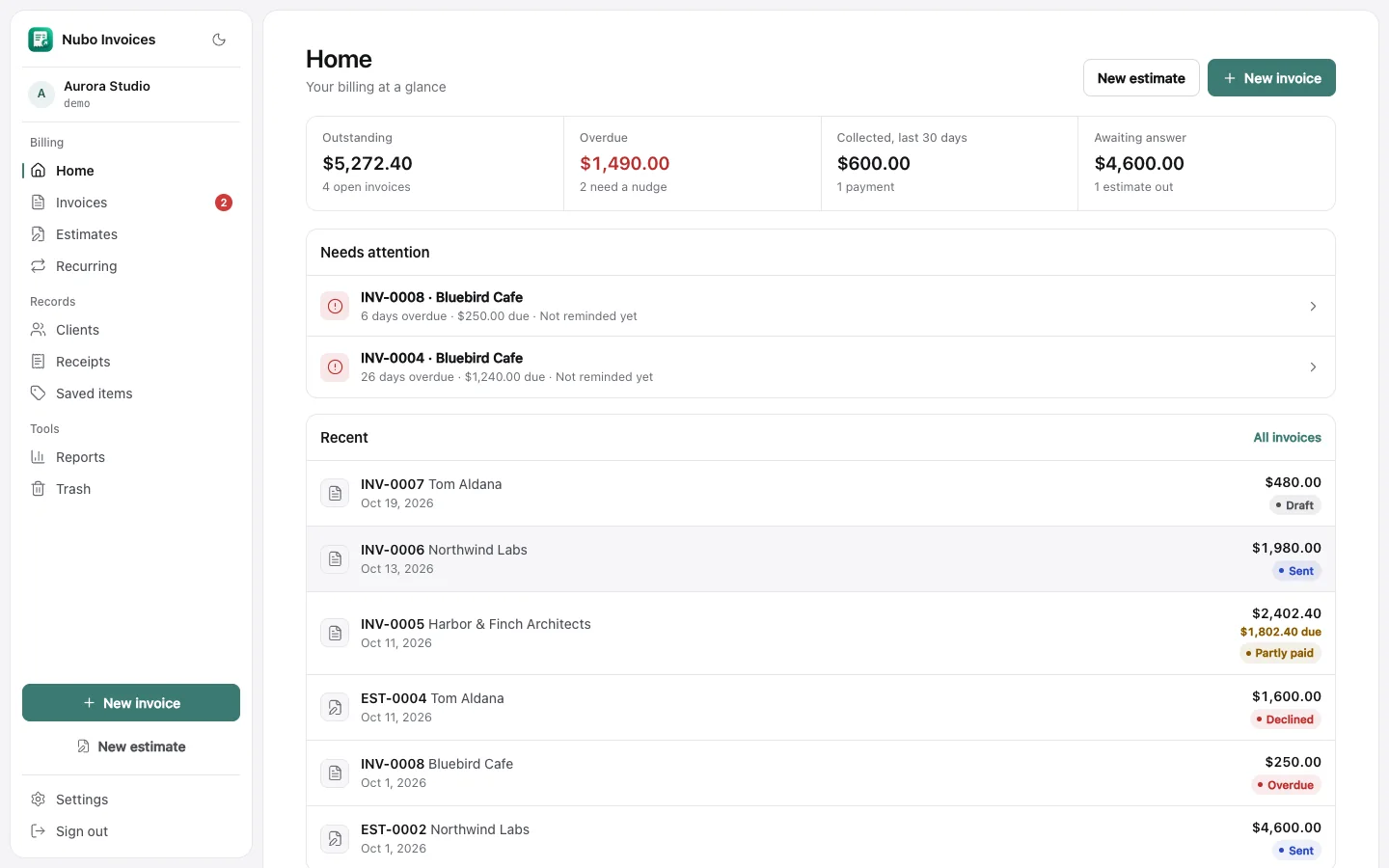
Invoicing for freelancers and small businesses. Turn quotes into invoices, send a PDF by email or share a page with a pay link, and see exactly what is outstanding and how old each amount is.
- Estimates to invoices. Convert an accepted quote in one tap.
- Recurring invoices. Retainers draft themselves weekly, monthly, quarterly or yearly.
- Payment reminders. Wording that fits how late it is, logged on the invoice.
- Aging report. Outstanding by age, from not yet due to 90 days and over.
Invoices: all features
- Status that works itself out.. Paid, partly paid and overdue come from the payments you record and the due date, so there is nothing to keep in sync by hand.
- Email it, share it, collect online.. Review the message, then send the invoice as a PDF. Or publish an unlisted page with Pay and Download PDF buttons and a pay-online link pre-filled with the balance.
- Bill in any currency.. Record what a foreign payment was worth in your currency that day. Reports add a consolidated total and say which documents had no rate.
Questions
- Cash or accrual?
- Every transaction type posts balanced entries on both cash and accrual basis.
- Can I bring in contacts and products?
- Customers, vendors, products and services import and export as CSV.
- Does it work with my country's tax rules?
- You set up your own tax rates. The app applies them to taxable lines after discounts, shows the tax you owe in a liability report and records tax payments.
Other jobs Nubo covers
- Zoom alternative
- Slack alternative
- Notion alternative
- Trello alternative
- Google Docs alternative
- Google Sheets alternative
- Airtable alternative
- DocuSign alternative
- Miro alternative
- Postman alternative
- GitHub alternative
- Adobe Acrobat alternative
- Adobe Photoshop alternative
- Adobe Illustrator alternative
- AutoCAD alternative
- Onshape alternative
- Zoho Workplace alternative
- Zoho One alternative
- Zoho CRM alternative
- Zoho Desk alternative
- Zoho Books alternative
- Zoho Projects alternative
- Zoho Sign alternative
- All Nubo alternatives
- Compare Nubo with Microsoft 365, Zoho, Adobe and AutoCAD
- Switching guides
QuickBooks is a trademark of its owner. Nubo is not affiliated with, endorsed by or sponsored by the owner of the QuickBooks brand. This page describes Nubo only; reviewed 8 November 2026.